How does applying for and activating the HDFC Bank UPI RuPay Credit Card work?
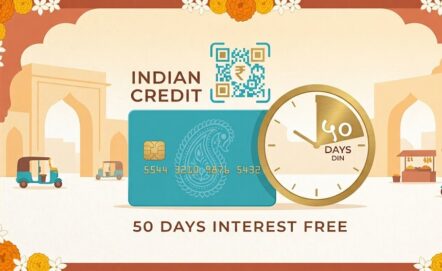
The HDFC Bank UPI RuPay credit card was designed for people who already use UPI every day and want to add the benefits of a credit card to that habit. Unlike most cards, it doesn’t arrive on its own: it depends on a prior or simultaneous relationship with another credit product from the bank. Understanding this process avoids surprises and speeds up the application.
Customers who already hold another HDFC Bank credit card have the fastest route: they can request the HDFC Bank UPI RuPay credit card as an add-on card through the MyCards app. Anyone who isn’t yet a cardholder needs to first apply for a primary Visa, Mastercard or Diners Club card from the bank and, in that same application, indicate interest in the add-on card linked to UPI.
RuPay and NPCI: understanding what makes the card possible
The RuPay network was created by the National Payments Corporation of India (NPCI), the same body responsible for developing UPI, with the goal of giving the country its own payments network without relying exclusively on international card schemes.
This shared origin between RuPay and UPI is what allows native integration between the two systems – something not every card network can offer. By issuing a UPI RuPay Credit Card, HDFC Bank taps into this national infrastructure to deliver a product designed specifically around the consumption habits already well established among UPI users in the country.
What documents are required?
For those who are already HDFC Bank account holders or cardholders, most of the documentation and KYC required for the HDFC Bank UPI RuPay credit card is already on file with the bank. What’s needed is an active account or an existing credit card with the institution, a registered mobile number and, further down the line, the MyCards or PayZapp app installed to manage the card.
Our advice for you!
Before linking the card to your UPI app, set a monthly spending limit that fits your budget and plan to pay off the bill in full within the 50 interest-free days. Treat cashback as a bonus, not as a reason to spend more than you need to. If the purchase can wait, paying upfront remains the cheaper option.
Step by step to issue and set up the card
The process starts in the MyCards app, where the customer checks eligibility and requests issuance of the HDFC Bank UPI RuPay credit card. Once approved, a 4-digit PIN needs to be set up – either through the bank’s official link or via the IVR helpline, by entering the last four digits of the card and confirming the process with an OTP code sent by SMS. Only after this step is the card ready to use.
With the PIN set, the customer can register the HDFC Bank UPI RuPay credit card on any UPI app of their choice – GPay, PhonePe, Paytm, BHIM, Mobikwik or PayZapp. Simply select the credit card option when registering on the app and choose the RuPay card issued by HDFC Bank. From then on, the card’s credit limit becomes available for everyday QR code payments.
