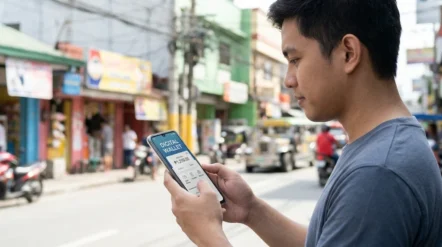
How to register before using GrabPay?
Registering and using GrabPay takes less than five minutes. The whole process happens inside the Grab app, which already brings together transport, delivery and payments. Just open the app, go to the payments section, select GrabPay and follow the activation instructions on screen.
The wallet is operated by GPay Network PH Inc., a company regulated by the Bangko Sentral ng Pilipinas. Because it is a supervised financial service, registration involves confirming your personal details and mobile number — the standard identity verification step required of any e-money institution in the country.
Ways to cash in
✔ Credit or debit card registered in the app
✔ Online banking from your bank
✔ ATM
✔ Accredited physical stores
✔ Hand to hand, with your own Grab driver
How to pay with GrabPay?
Once you have a balance in your wallet, using GrabPay is simple. For rides, GrabFood and GrabExpress, just choose GrabPay as your payment method before confirming your order. In partner physical stores, payment is done at the counter through the app.
On partner websites and apps, GrabPay appears as an option at checkout. Utility bills and mobile load have their own sections inside the app. Transfers to local banks and to other GrabPay wallets are free.
A piece of advice for you
To start using GrabPay wisely, begin by setting how much you will load every week and stick to that ceiling. Unlike a credit card, there is no extra limit here to rescue an unplanned expense — and that is an advantage, not a flaw. When the balance runs out, treat it as a sign that your budget for that period is over, instead of topping up automatically.
Check your transaction record inside the app at least once a week. Small digital expenses go unnoticed precisely because the money never passes through your hands, and seeing the amounts added up is usually an excellent exercise in financial awareness. Keep only your day-to-day money in the wallet: e-money does not replace a bank account and does not carry deposit insurance protection.
Finally, take care of security when using GrabPay and any other payment method. Use screen lock and biometrics on your phone, never pass on verification codes received by message, and be wary of anyone contacting you to ask for your details.
If you have questions or encounter a problem, go to the official Help Centre inside the app or at help.grab.com — and remember that the institution’s standing can be verified on the Bangko Sentral ng Pilipinas website.
Start using GrabPay in a few steps
To start using GrabPay from now on, click the button below and go to the official website to download the app and register, following the step-by-step guide we have outlined above. If you have any questions, contact the platform’s official channels directly.
Utua is not a financial institution and does not issue credit cards or grant loans. Our role is to review financial products available in the Philippine market to help you make a more informed and responsible decision. Any application is made directly with the financial institution of your choice.
